DIY keyboard, part 2: scanning the key matrix and fixing ghosting
arduino ghostingPrevious: part 1, planning a handwired, 3D-printed keyboard.
Because we don't have enough inputs on the Arduino we can implement a key matrix to detect which keys are pressed. This way the number of inputs needed is the number of columns plus rows.
The way it works is that we send a signal on one row and check which columns receive it. Then check the next row the same way.
The basic idea of the matrix scanning:
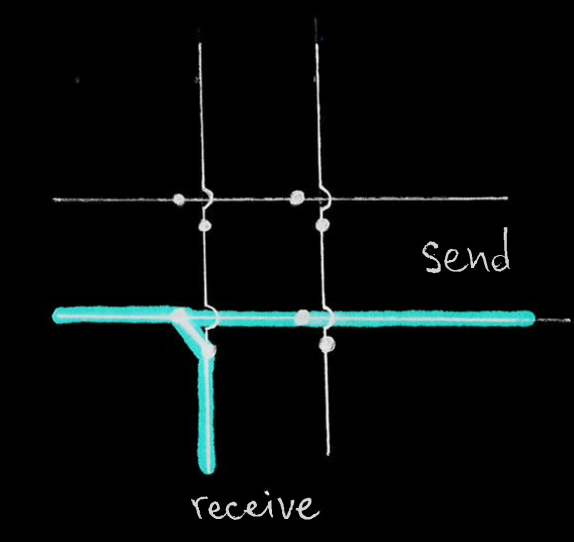
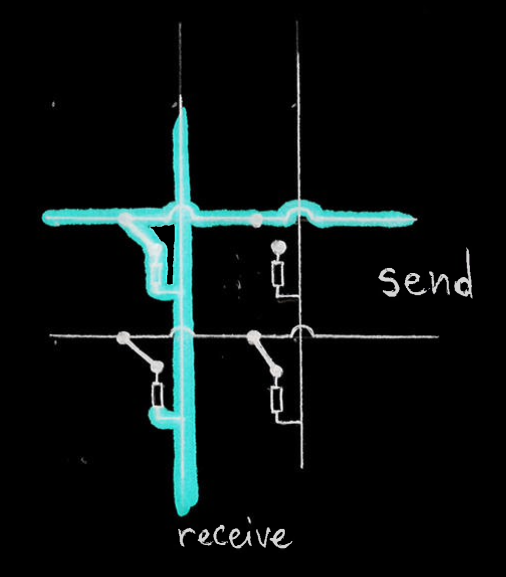
There is the problem called ghosting - keys which are not really pressed register as being pressed. Using diodes we can prevent the effect.
Here is how it happens when diodes are not present:
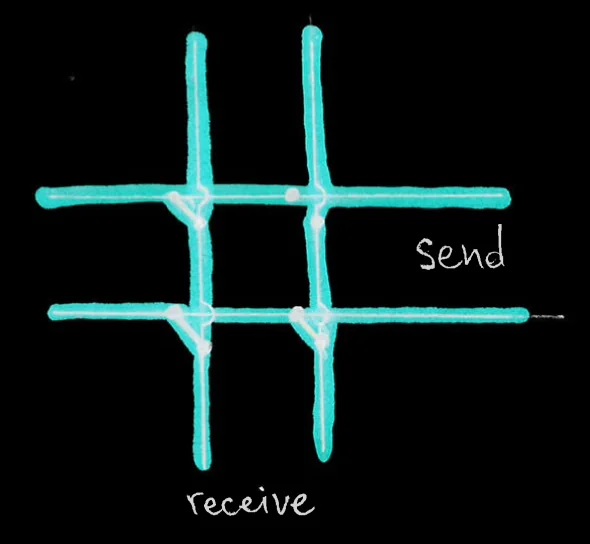
As you can see the right column does receive a signal when it is the top row's turn to send it, because the signal goes through the top-left pressed key to the left column, then through the bottom-left key to the bottom row, and then through the bottom-right key to the right column. That means that the top right switch is registered as pressed, but it's not.
And here is the same scenario, but with diodes:
It is a good idea to test by soldering using very little tin - just enough to hold on, instead of trying to fiddle with holding them in place.
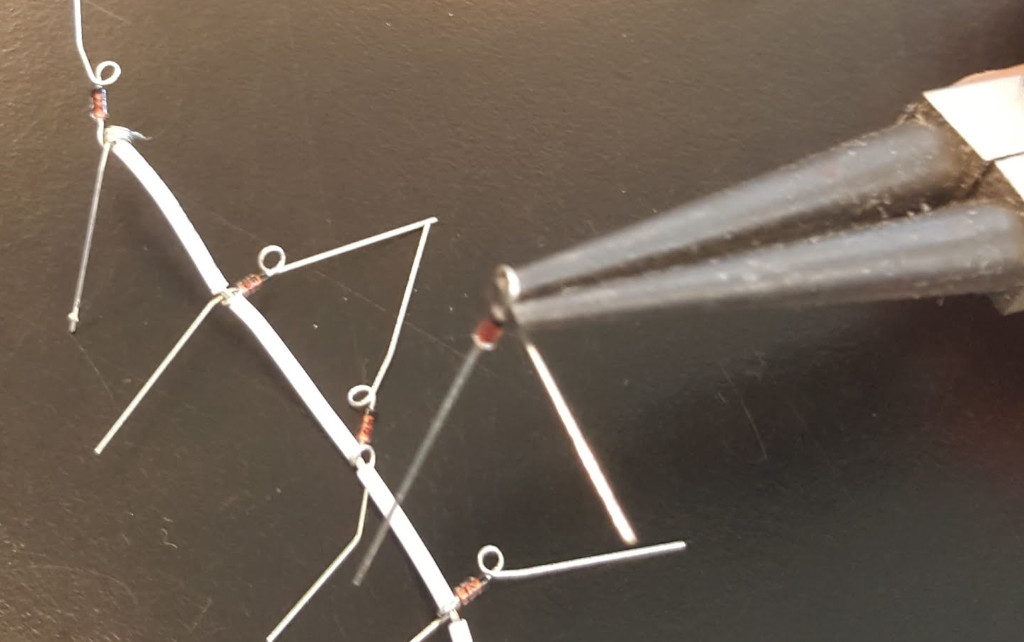
I decided to switch the wiring from the blogs I read - my rows are connected directly and columns use diodes
You can use this jewelry making pliers to make little loops that can go onto the switch legs or the wires.
The next problem to solve is debouncing - detecting that a key is pressed and released many times in a short time, while in fact the key is only being pressed or released, but the contact between the metal plates in the switch is not really solid while in the process of moving. After doing the research I found there are hardware and software ways to solve this problem. The hardware one is with capacitors, but that makes it more of a hassle for me. There are multiple ways to solve it with software:
- waiting for a certain amount of time over which no change happens - this way we can be sure that the state is stable and we can read this as the current situation - this is slower, but might not be noticeable
- detecting the first change and registering that one, then ignoring changes for some time and checking the state after this time - this is per key and is making the decision faster than the previous one
- only checking for changes every 50 milliseconds, for example - this is fast and easy to do, but is on all keys
- track the state over time and accumulate the values to calculate to which extreme it is more close - this is not fast and might not be very robust without tuning
My first approach is to do it the simple way and put more effort when those results become unsatisfactory for my needs. So I will only check the state of all keys every 25 milliseconds.
The next thing to do is make a layout for our keys. I decided to have preprocessor macros that map a readable name to a keycode of type byte. I can send these bytes to the receiving host without mapping them. The key names I can use to initialize a 2D array which will represent how I want my keys to be ordered. When I know the position of a pressed key in terms of row and column I can then access the resulting keycode through the array.
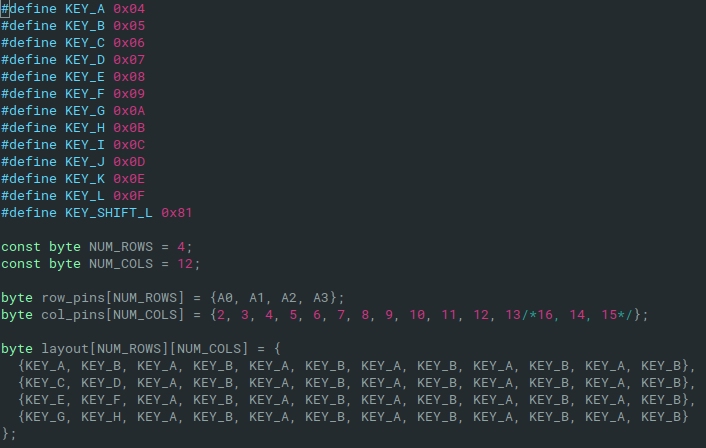
Later on this could become a 3D array when we need to have multiple layouts.